On your own or with your family

Your money and plans, in one place.

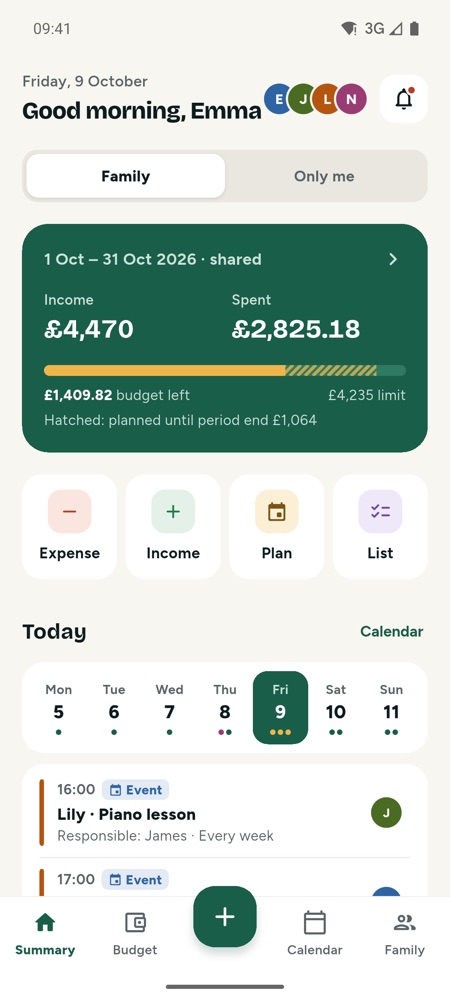
Rent, bills, the shopping list, the kids' swimming lessons, the holiday fund… Fambil keeps them together and reminds you when it's time. Add your family and everyone is on the same page; you decide what is shared.

Download on theApp Store Get it onGoogle Play

For iPhone and Android.

  • Gathersspending, plans, lists and savings in one place
  • Remindsof bills, instalments and classes a day ahead
  • Shareswith your family, only what you choose
  • Privatewhat you mark “Only me”, no one else sees
A month with Fambil

What Fambil does for you in a month

Regular payments, entered once
Start of the month

Regular payments, entered once

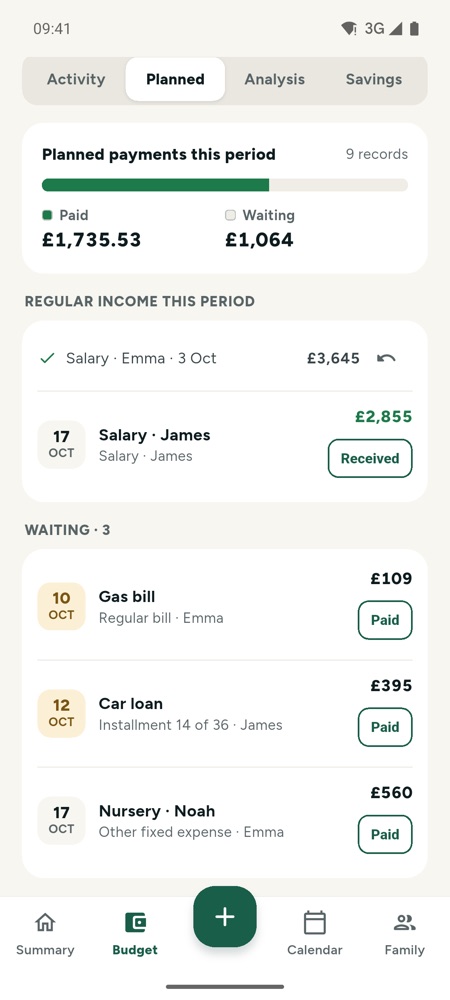
Rent and loans every month, taxes twice a year, insurance once a year. Enter them once and Fambil lines them up every month.

  • A reminder the day before and on the day
  • Marked paid, it counts once in the budget
  • Salaries and other income in the same place
Add spending in three seconds
Every day

Add spending in three seconds

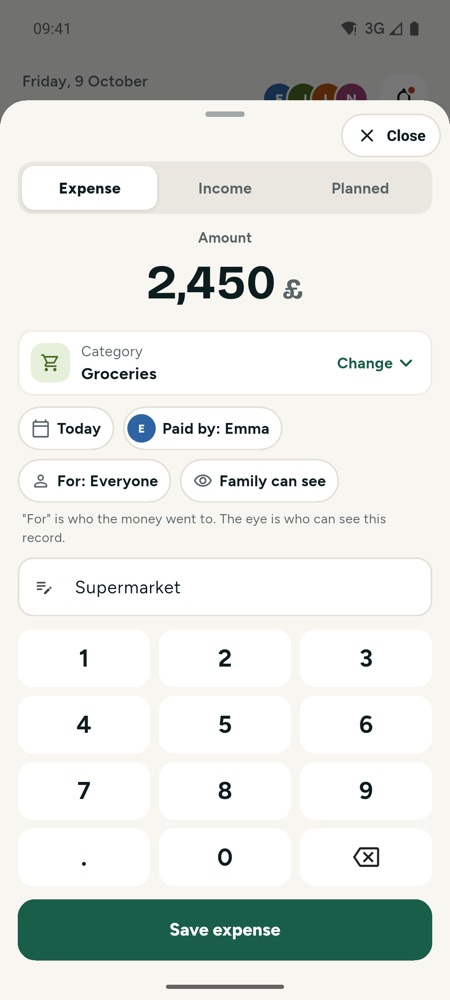
Type the amount, pick a category, save. Who it was for and who can see it are on the same screen.

  • “Family can see” or “Only me”
  • Today, yesterday, two days ago: one tap
  • Saves offline, syncs later
The shopping list in everyone's pocket
During the week

The shopping list in everyone's pocket

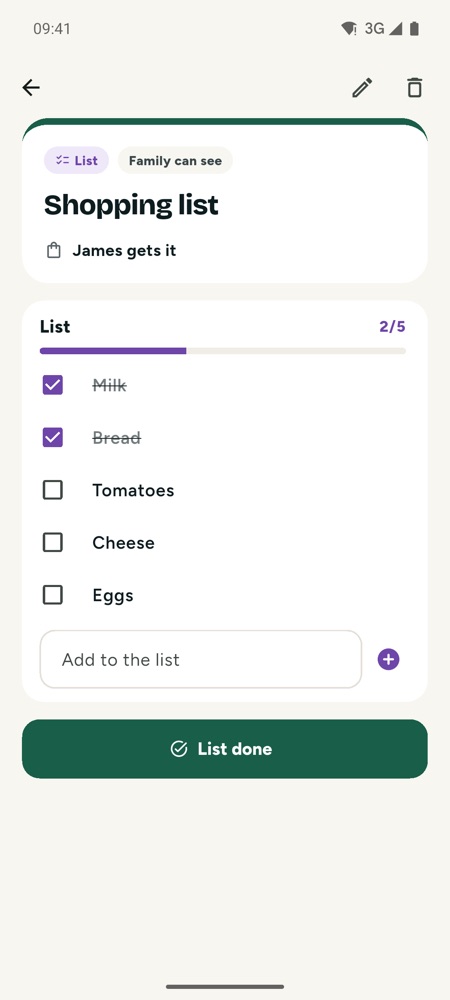
Type or paste the list. Whoever shops ticks it off and taps “List done”, even with a line missing, and the family hears about it.

  • No date needed: it waits on the summary
  • Two people can tick at the same time
  • Completed lists stay and can be reopened
Who takes them, who does it: settled
During the week

Who takes them, who does it: settled

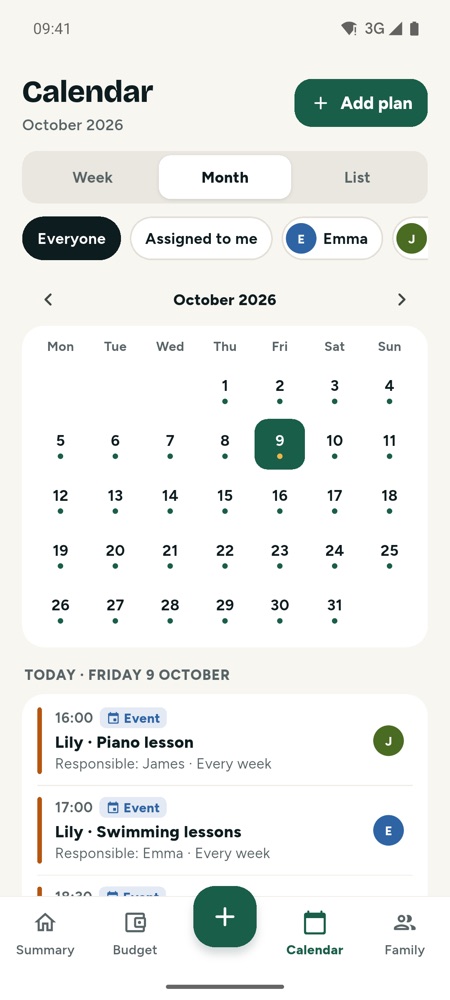
Classes, appointments, school meetings and chores on one calendar. The person in charge is reminded on time.

  • Weekly, monthly or yearly repeats
  • Several early reminders
  • Link a class fee to the budget
Where did the money go, what is left?
End of the month

Where did the money go, what is left?

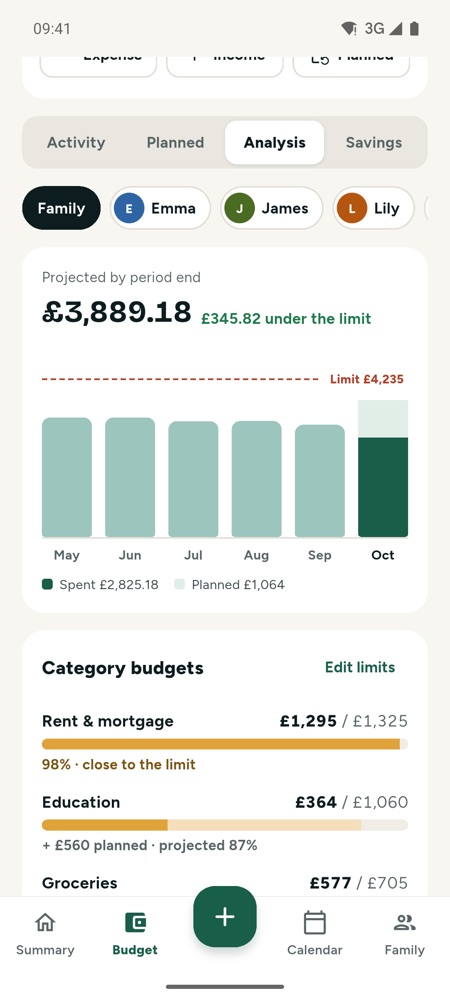
Category limits, spending per person and a forecast for the month's end. A warning near a limit lets you change course in time.

  • A limit per category
  • Compared with previous months
  • Forecast including planned payments
Savings: gold, currency, shares, cash
The long run

Savings: gold, currency, shares, cash

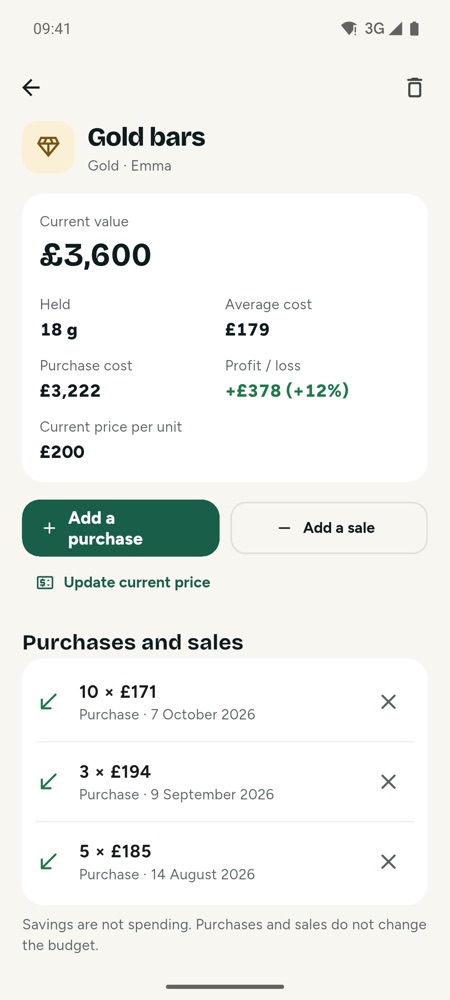
Add every purchase; Fambil works out the average cost and the profit or loss. Holiday and emergency goals count your savings by themselves.

  • More purchases and sales, average cost
  • Choose which savings count toward a goal
  • Savings are not spending
Who sees what

Share what you want to share. The rest stays yours.

Family can see
Weekly shopEmma paid · for everyone£76
Only me
Hairdresserpersonal · only you see it£50

Personal stays personal

Records marked “Only me” live in your account alone; no one else in the family sees them or counts them.

No bank access

We never ask for bank passwords or read your accounts, and we do not sell data for advertising.

Your account, your call

Delete your account and all your records from inside the app, any time.

Details: Privacy policy

Who it's for

With your family or on your own

For families

Partners see the same budget, calendar and lists on their own phones. Children get a profile without an account.

  • Join with an invite code or QR code
  • Everyone keeps their own personal records
  • Who paid, who it was for, who is in charge

For you alone

Your budget, regular payments and savings on one calm screen.

  • No family features in the way
  • Your records backed up to your account
  • Join your family whenever you like
Getting started

Ready in two minutes

Sign up

With your Apple or Google account, or with email.

Alone or as a family

Creating a family? Share the invite code or QR code and your partner joins in one tap.

Set it up together

Salary, rent, loans, bills, taxes, insurance: pick from a list, enter the amount and the day.

FAQ

Questions people ask

Does Fambil cost anything?

Fambil is free to download and use. If paid features are ever added, their prices will be announced clearly in advance.

Does it connect to my bank?

No. Fambil never asks for bank passwords or reads your accounts. You enter spending and regular payments; Fambil reminds and calculates.

What can my family see?

Only what you mark “Family can see”. Records marked “Only me” never reach anyone else and are not added to family totals.

Do my children need accounts?

No. Add a child's profile without an account and follow what is spent and planned for them.

Can I start alone and join my family later?

Yes. On the Profile tab, tap “Add my family”: create a family or join one with an invite code. Your records come along.

Does it work offline?

Yes. Records are kept on the phone and sync with your family when you are back online.

Can I delete my account?

Yes, inside the app: Profile or Family tab → Delete account. Your account and personal records are removed for good.

Get Fambil now

Questions or ideas: hello@cordaralabs.com

Download on theApp Store Get it onGoogle Play